Mac app · Intel and Apple silicon
Lina
The SIP softphone built for the Mac
Make and take your business calls on your Mac, with your SIP provider or your PBX: transfers, call waiting, recording, your contacts' names. Native, fast, with no account and no telemetry.
macOS 14 or later · in English, French and Spanish · 14 days of Lina Pro free
Everything a desk phone should do, on your Mac
Calls without surprises
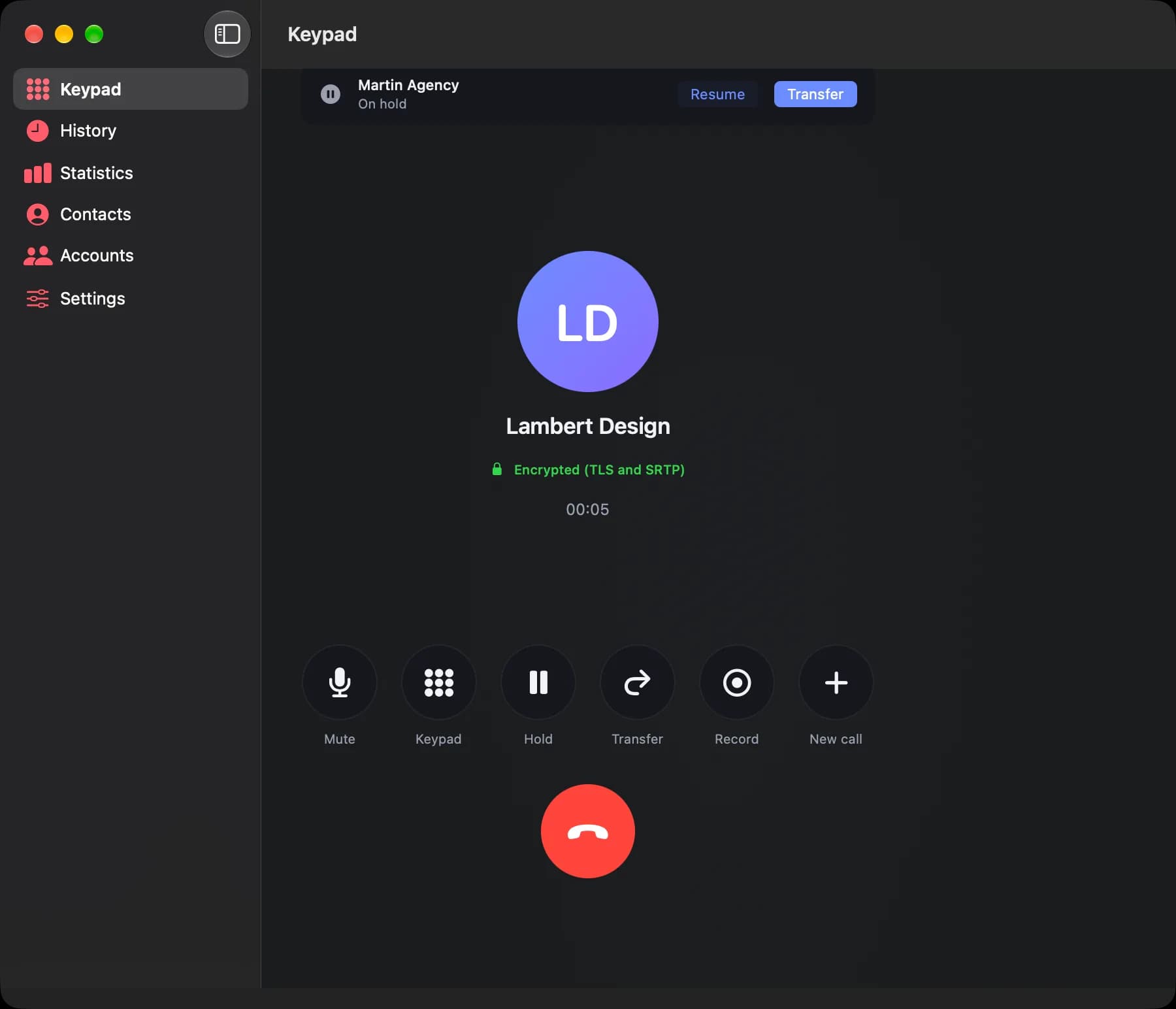
Hold, call waiting with one-click switching, a keypad for phone menus, and a clear reason when a call fails: busy, unknown number, provider unreachable.
Blind and attended transfer
Transfer a call straight away, or introduce the caller to your colleague first, then hang up.
Call recording
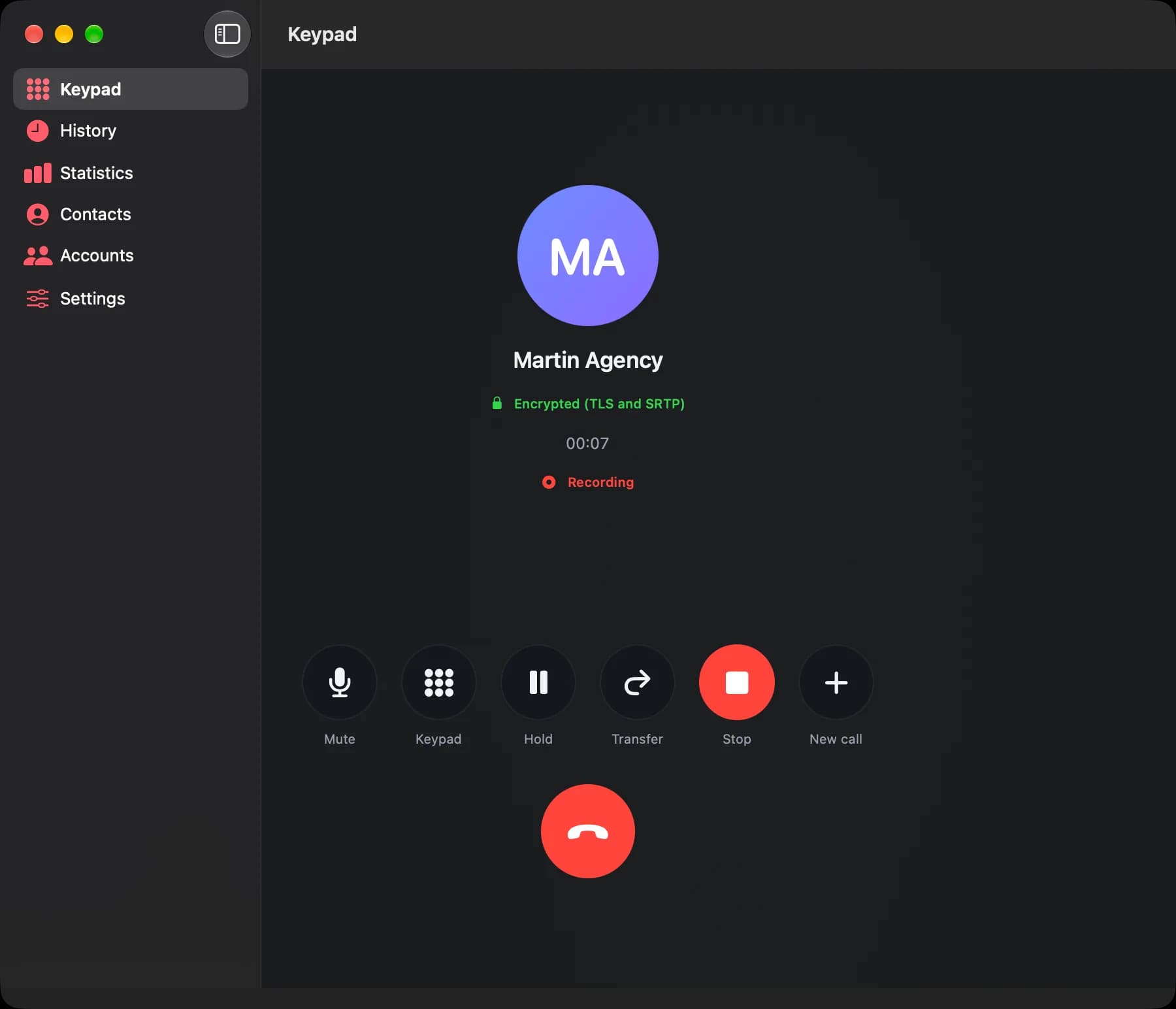
One button during the call: the file goes to Music, Lina, and you can find it again from the call history. Nothing leaves your Mac.
Your contacts' names
Lina recognizes numbers from your Mac Contacts and shows who you are talking to, during the call and in the history.
Click to call
Click a number in your browser, your CRM or Contacts (tel:, callto: and sip: links) and Lina dials it.
Verifiable encryption
TLS signaling and SRTP audio. The badge only says “encrypted” when the audio really is.
Do Not Disturb
Calls go to your voicemail and stay in the history. And ⌃⌥Space answers or hangs up from any app.
History and statistics
Call volume, answer rate, durations, most-called numbers, and CSV export of your history for your spreadsheet.
Voicemail and menu bar
Voicemail indicator, notifications with Answer and Decline, and controls in the menu bar.
Clean, readable, and at home on macOS
Call waiting: one caller on hold, attended transfer in one click 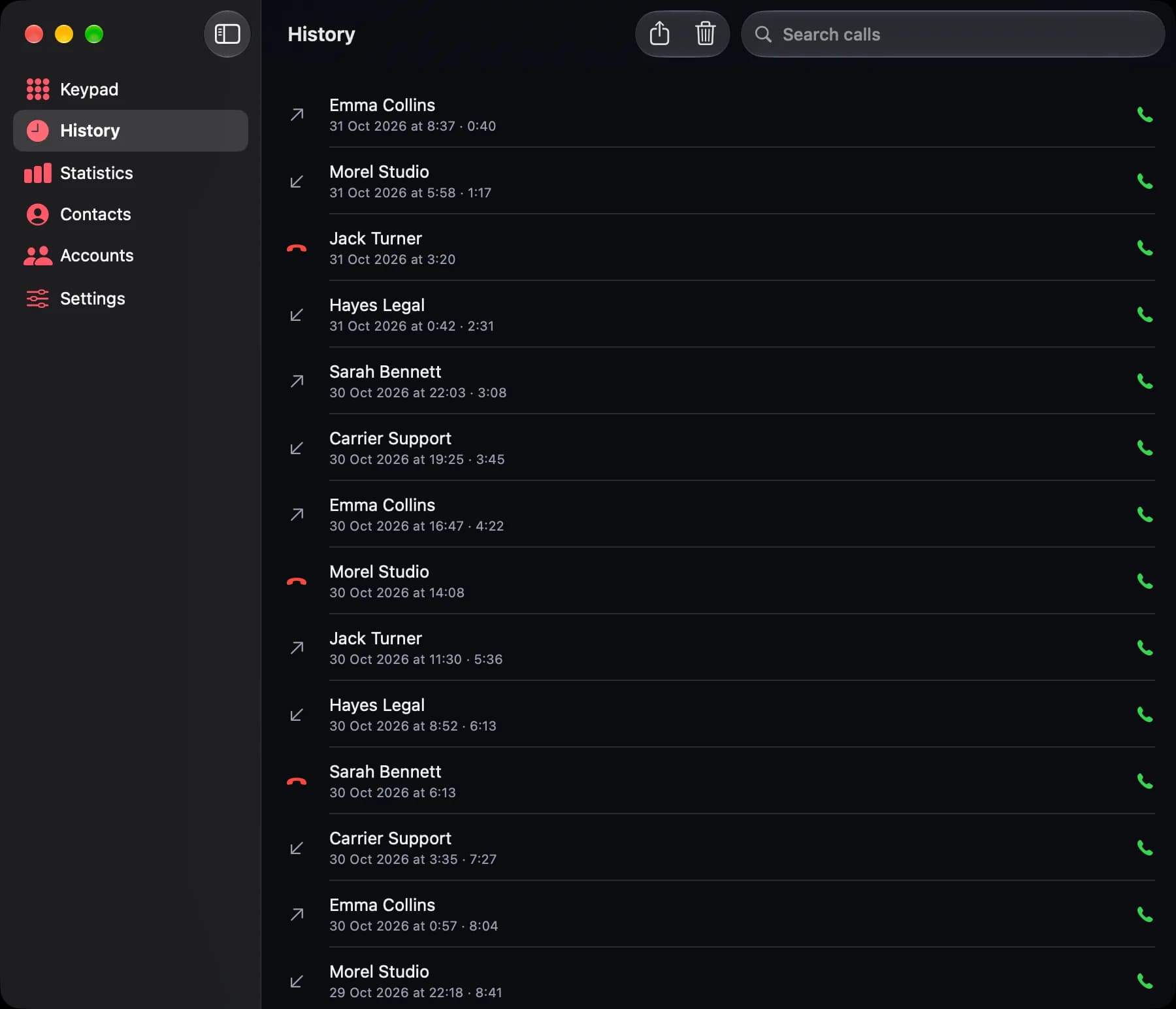
Call history with one-click callback 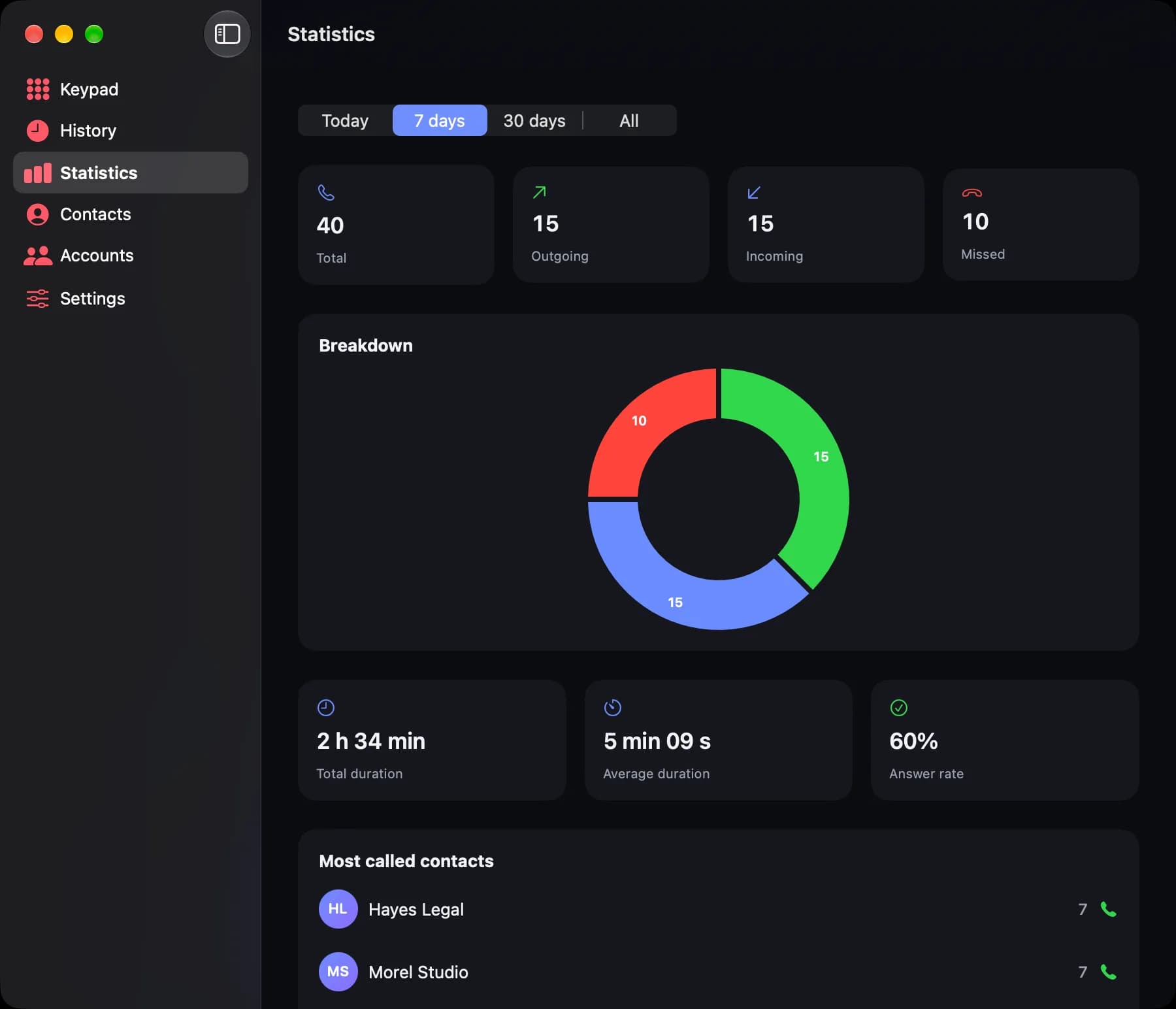
Call statistics: volume, answer rate, durations 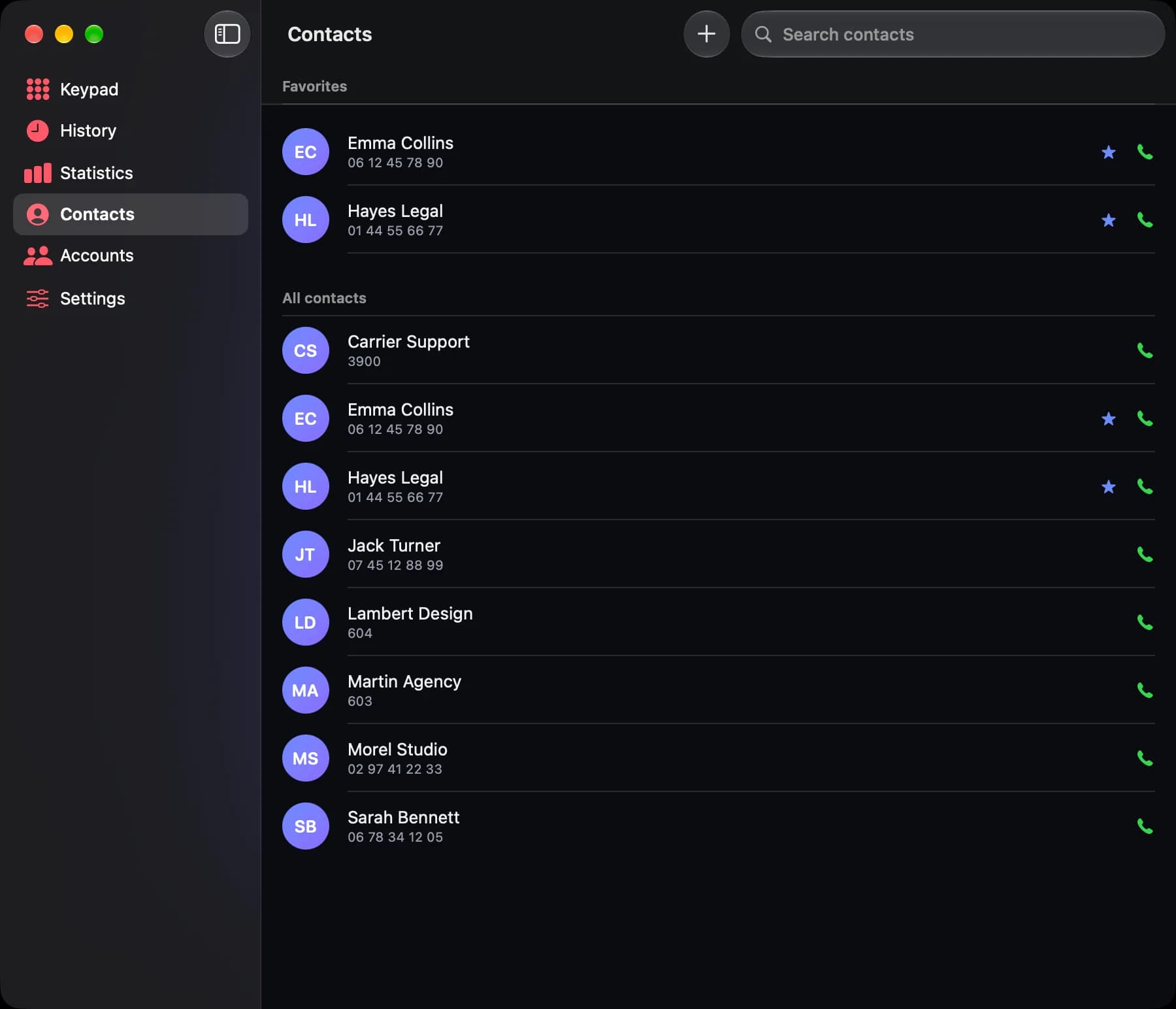
Contacts and favorites
Free to start, Pro for work
Free
€0no time limit
- One SIP account
- Calls, hold, blind transfer, call waiting
- Click to call and Do Not Disturb
- Voicemail and notifications
- The last 30 calls
Lina Pro
€29per user, one-time purchase, all version 1 updates included
- Everything in the free version
- Call recording
- Names from Mac Contacts
- Multiple SIP accounts
- Attended transfer
- Unlimited history and CSV export
- Call statistics
For a team, choose the number of users at checkout: a single key, to install on each person's Mac. Full refund on request within 14 days.
Secure payment by Stripe, which issues the receipt, taxes included. Your key arrives by email right away.
Works with your provider
Lina speaks standard SIP, over UDP, TCP or TLS, with or without registration (IP-authenticated accounts included): SIP providers, trunks, Asterisk, FreePBX, 3CX, Wazo and most PBXs on the market.
Frequently asked questions
Is Lina really free?
Yes. The free version has no time limit and handles one SIP account. Every installation starts with 14 days of Lina Pro so you can try everything; after that, Lina goes back to the free version without losing anything.
How many Macs can I install Lina Pro on?
A license is assigned to one person, who can install it on their own Macs, up to three. The key is activated online; removing it from a Mac (Settings, About) frees its place. For several people, you need one license per user.
How do I set up a team?
Choose the number of users on the checkout page: you get a single key showing that number, to install on each person's Mac. When someone leaves, their license can move to a colleague.
Does Lina work with my provider?
If your provider or PBX gives you a standard SIP account (username, password, server), yes. Lina handles UDP, TCP and TLS, as well as IP-authenticated accounts. Try it during the free trial.
Which languages is Lina available in?
English, French and Spanish: Lina follows your Mac's language, or the one you pick in its Settings.
Am I allowed to record my calls?
Yes, as long as you tell the other person before you start: recording a conversation without their knowledge is prohibited in France, as in most countries. Lina reminds you of this and shows the recording for as long as it lasts.
What happens to my data?
It stays on your Mac: accounts, contacts, history and recordings. Passwords are kept in the macOS keychain. Lina has no account and no telemetry; its only connections go to your provider, once a day to the list of updates, and to our server for the Lina Pro trial and activation, with an anonymous fingerprint of the Mac and nothing else.
What if Lina isn't right for me?
Write to contact@kevin-boileux.com within 14 days of purchase and your license will be refunded in full.
Is Lina available for Windows or iPhone?
Not for now: Lina is a native macOS app, built to make the most of the Mac (menu bar, Contacts, notifications, keychain).